Every part of your controller, under your control.
ZENO processes each controller report on your PC — tuning, then mapping, then macros — and passes the result to games as a virtual controller. Every editor shows the result live.
Advanced mapping
Click a button on the on-screen controller, then press what it should send: another controller button, a key or a mouse button.
- Remap every button to controller, keyboard or mouse outputs
- Drive the mouse with either stick, with its own speed, deadzone and curve
- Unmapped buttons pass straight through; undo and reset in one click
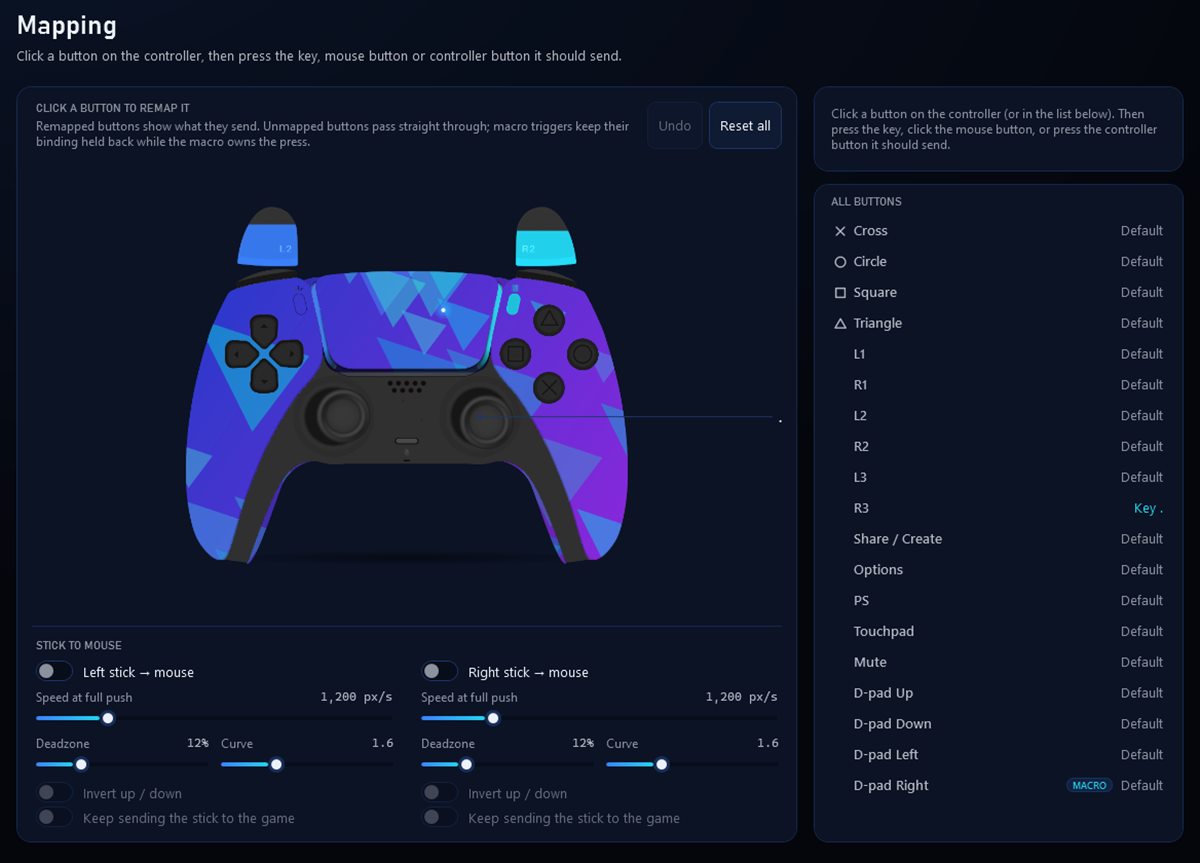
Mapping: remap by clicking the live controller.
Stick tuning
Shape each stick precisely: deadzones, anti-deadzone, sensitivity, per-axis scale, smoothing and acceleration, applied before mapping and macros.
- Inner, outer and anti-deadzone, radial or per axis
- Linear, exponential and custom response curves
- See the raw input and the processed result side by side
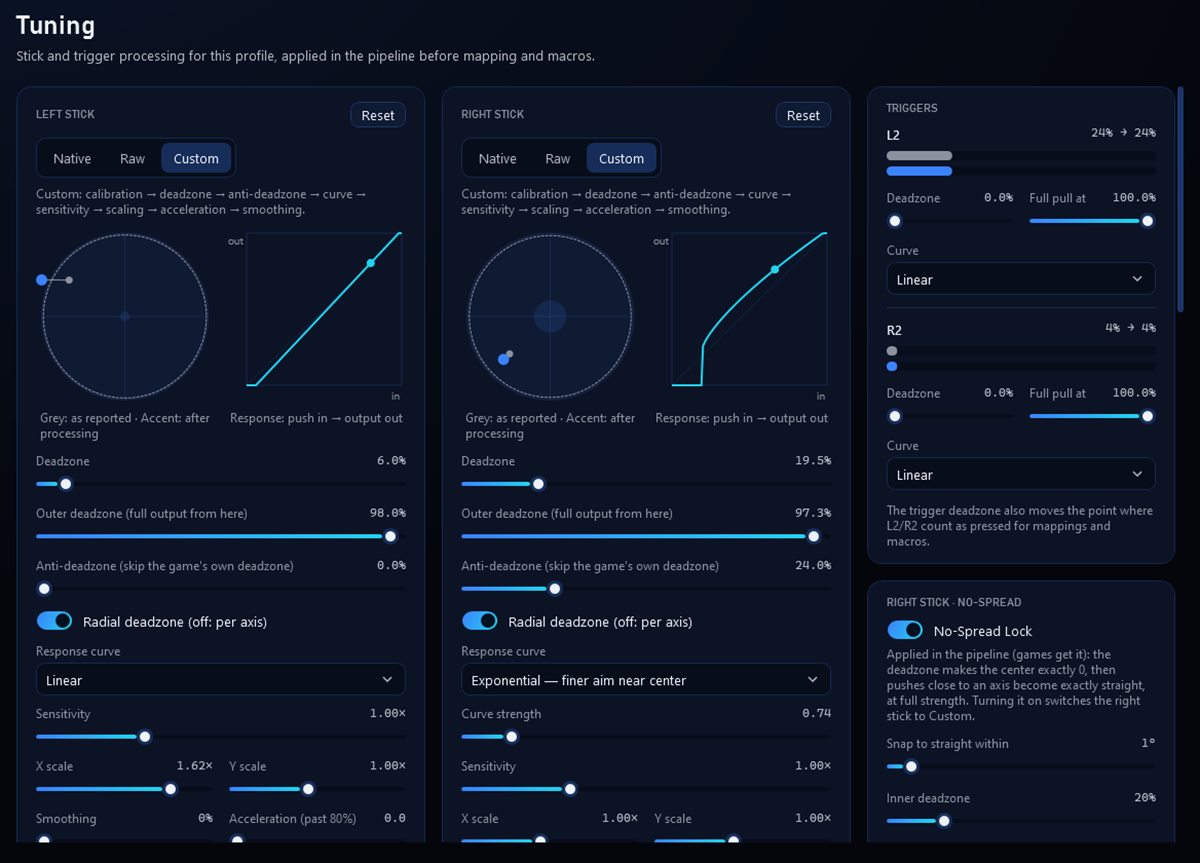
Tuning: raw input in grey, the processed result in color.
Curve Studio
Drag points to draw your own stick response, preview it live with your controller, and compare it with another curve before you apply it.
- Start from presets or draw from scratch
- Live preview of what the game receives
- Save, import and export your curves
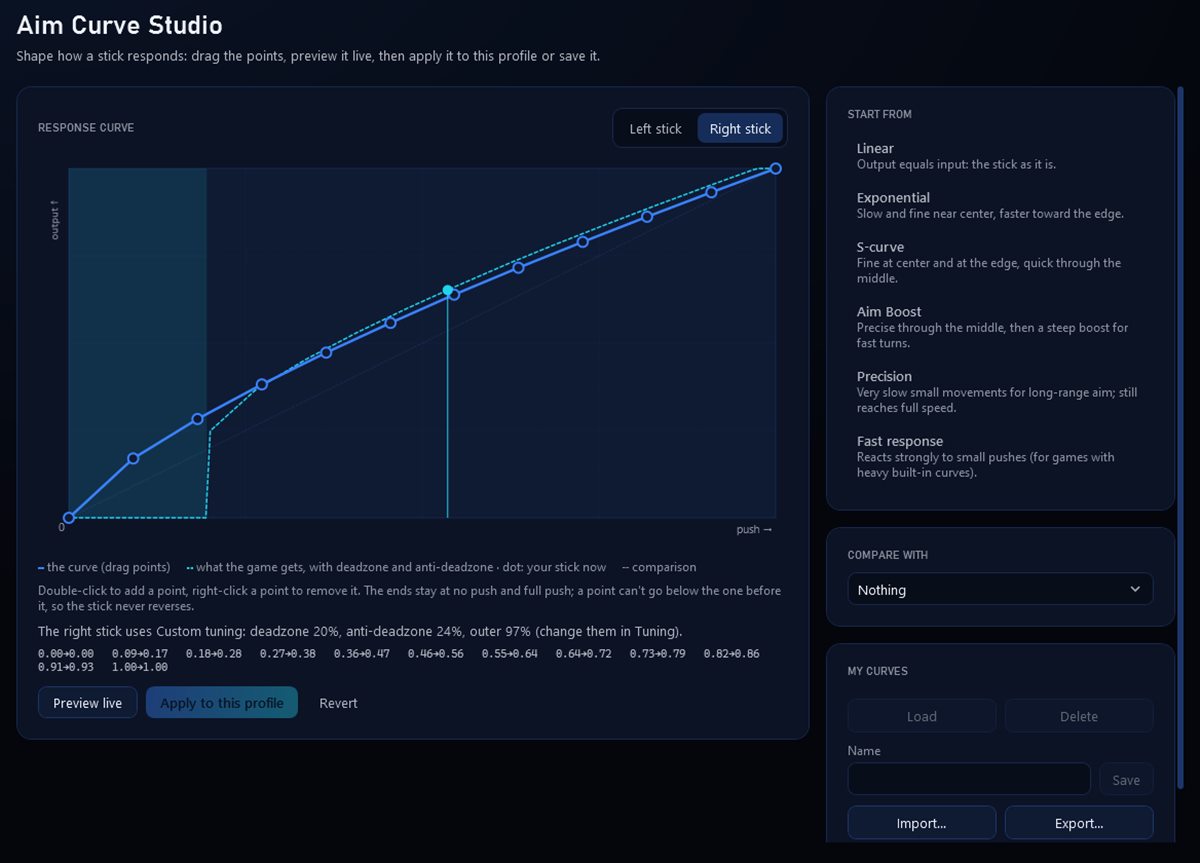
Curve Studio: draw a response curve and preview it live.
Trigger customization
Set where each trigger starts and where it reaches full pull, and choose its response curve. The same threshold decides when a trigger counts as pressed for mappings and macros.
- Per-trigger deadzone and full-pull point
- Response curves for L2 and R2
- Live bars show input and output
- Per-trigger deadzone and full-pull point
- Response curves for L2 and R2
- Live bars show input and output
Macros
Build input sequences step by step or record them, then choose how each one runs: once, while held, or as a toggle.
- Timeline editor with precise waits
- Test a macro before you use it, stop everything in one click
- A live monitor shows what is running and what it holds
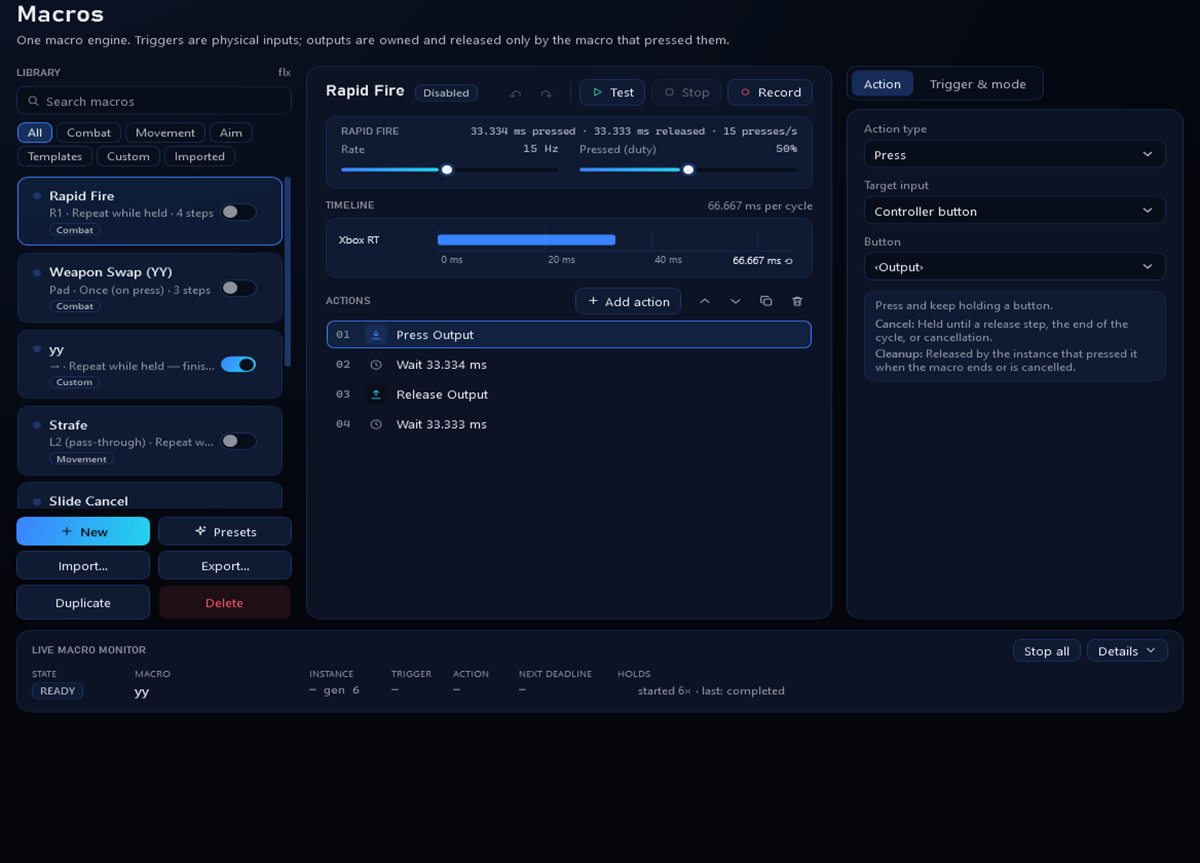
Macros: build, test and monitor input sequences.
Game profiles
Keep a profile per game and let ZENO switch automatically when the game starts. Try changes safely in the sandbox and roll back with restore points.
- Automatic switching when a game starts
- Profile sandbox to try a version before it replaces yours
- Restore points and backups, kept on your PC
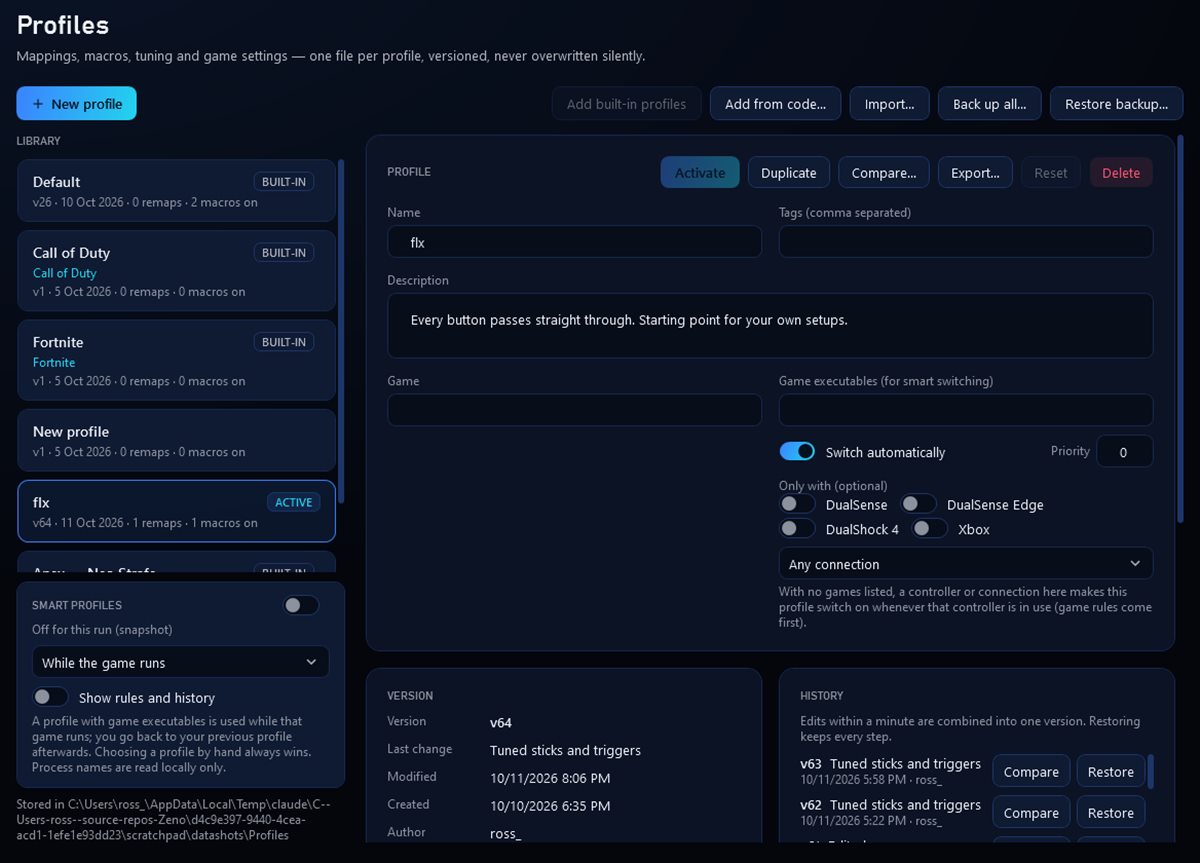
Profiles: one per game, switched automatically.
Live controller visualizer
See exactly what your controller sends and what the game receives, live, with every press and stick movement drawn as it happens.
- Live view on the dashboard and every editor
- Recent input events with timestamps
- A streaming overlay for OBS
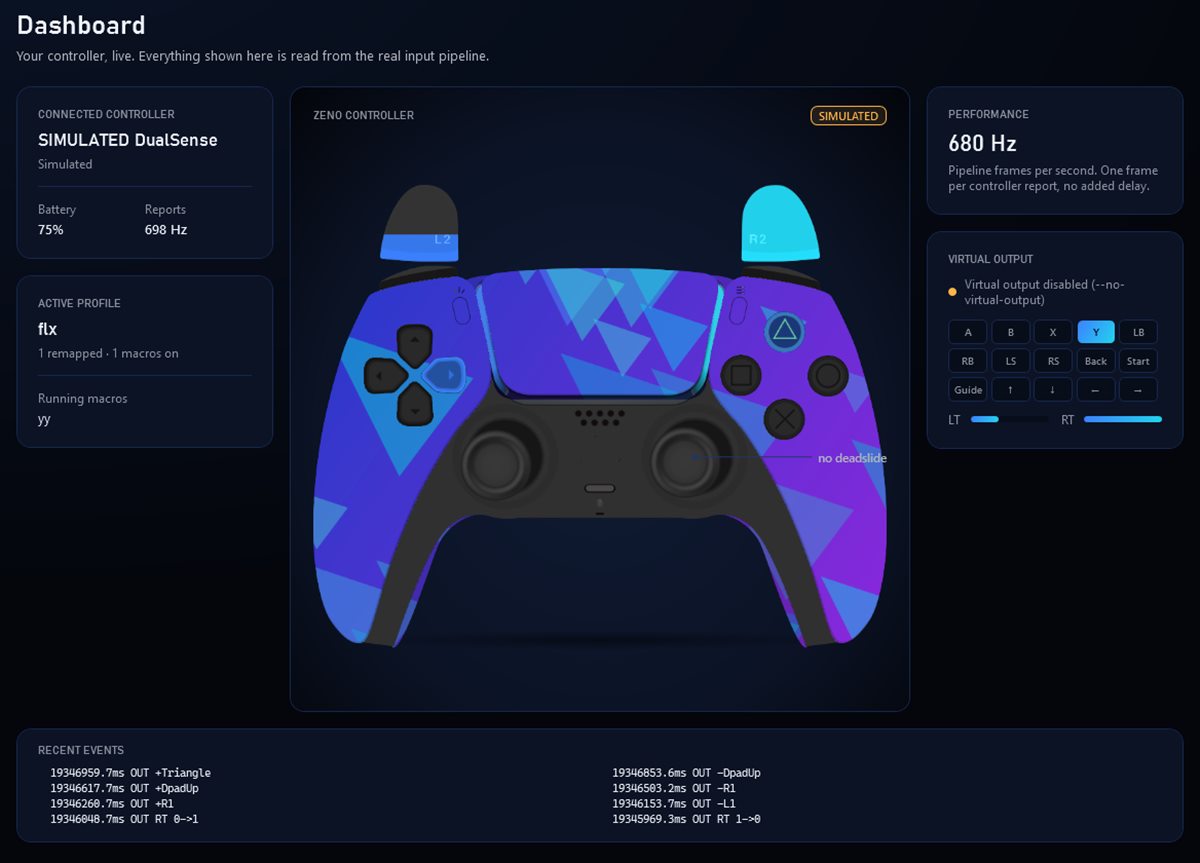
Dashboard: the controller, live.
Diagnostics
Check what ZENO sees from your controller, find common problems, and export a report when you need help.
- Connection, battery and report-rate details
- Compatibility notes for each controller model
- Exportable diagnostic report
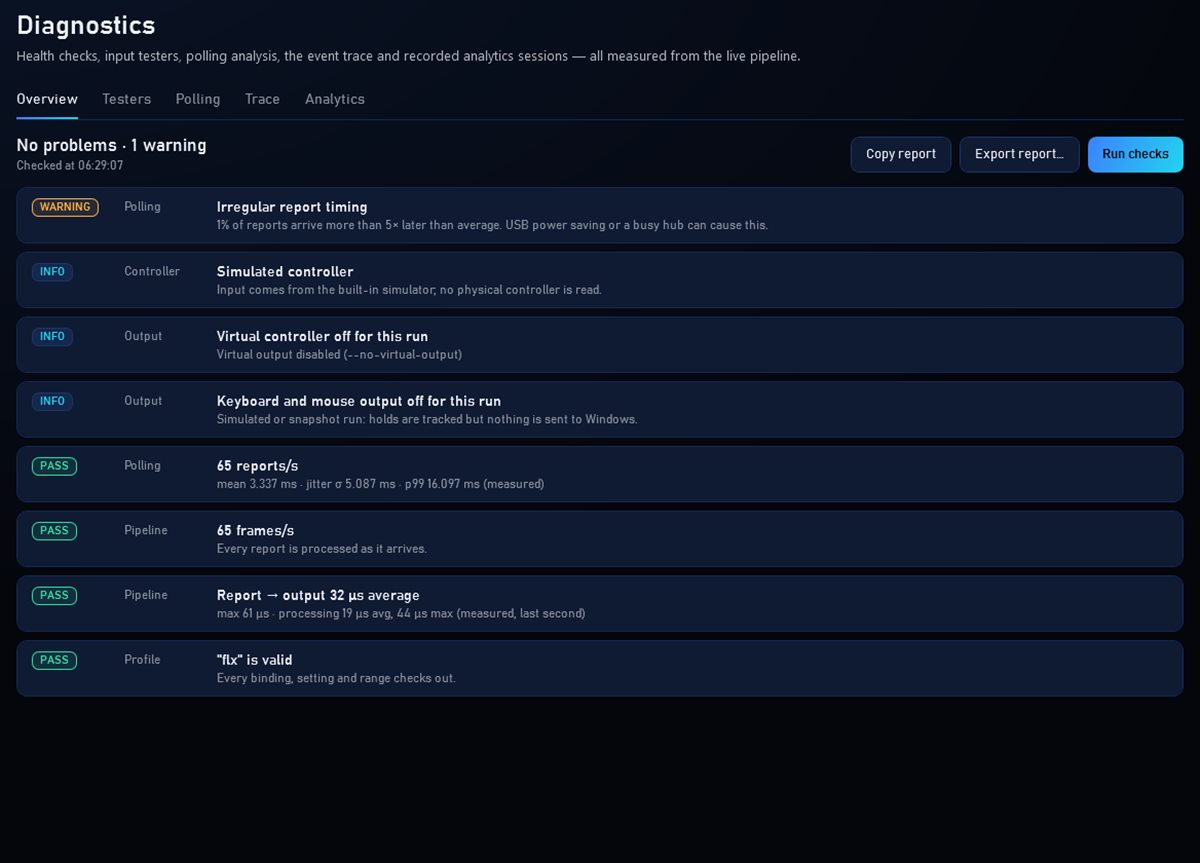
Diagnostics: what ZENO sees, and what to fix.
Performance analysis
Run a guided controller health test, and measure ZENO's own processing time stage by stage, with before-and-after comparisons.
- Guided one-minute controller health test
- Processing time measured per pipeline stage
- Saved reports to compare over time
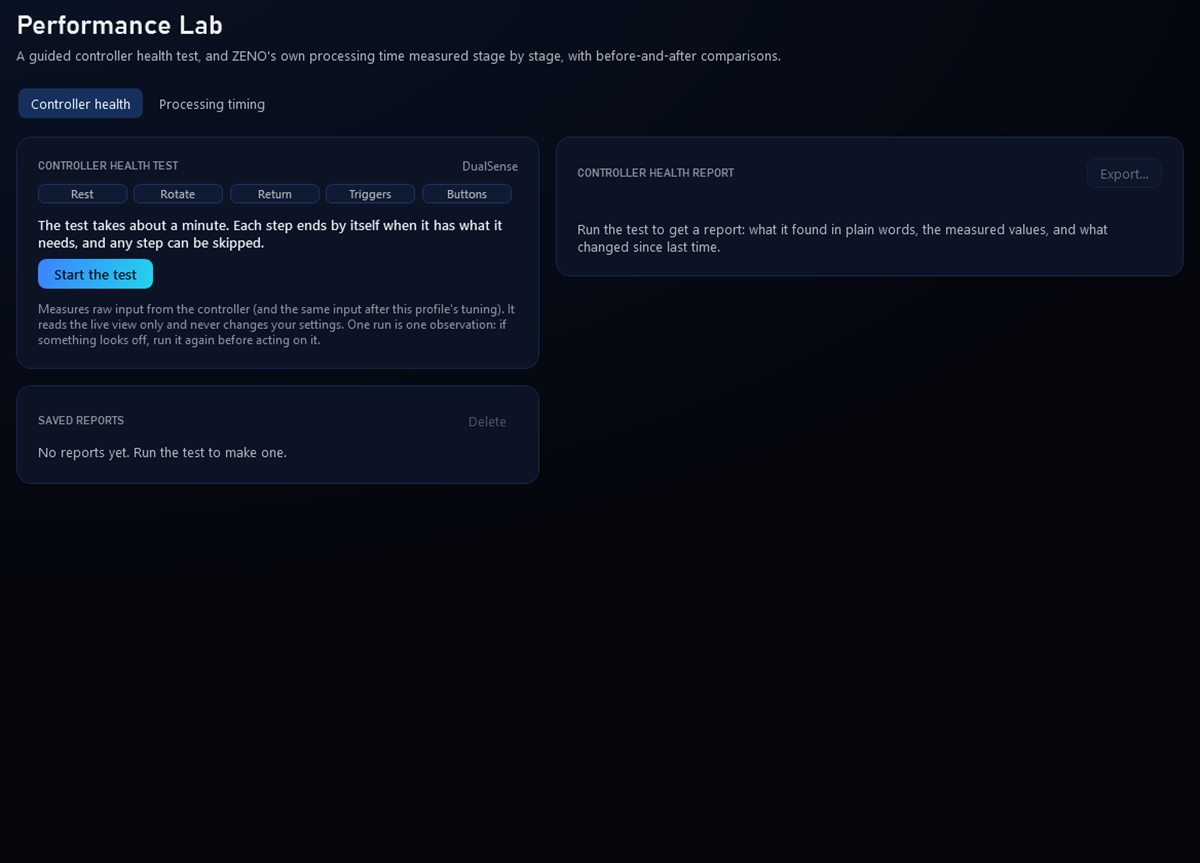
Performance Lab: health test and processing timing.
Themes and controller skins
Make ZENO yours: app themes, background images and GIFs, and ZENO edition controller skins with part colors, materials, lighting and your own artwork.
- 13 themes plus your own custom theme
- Per-part colors, materials and skin artwork
- Save skins to a library and share them as files
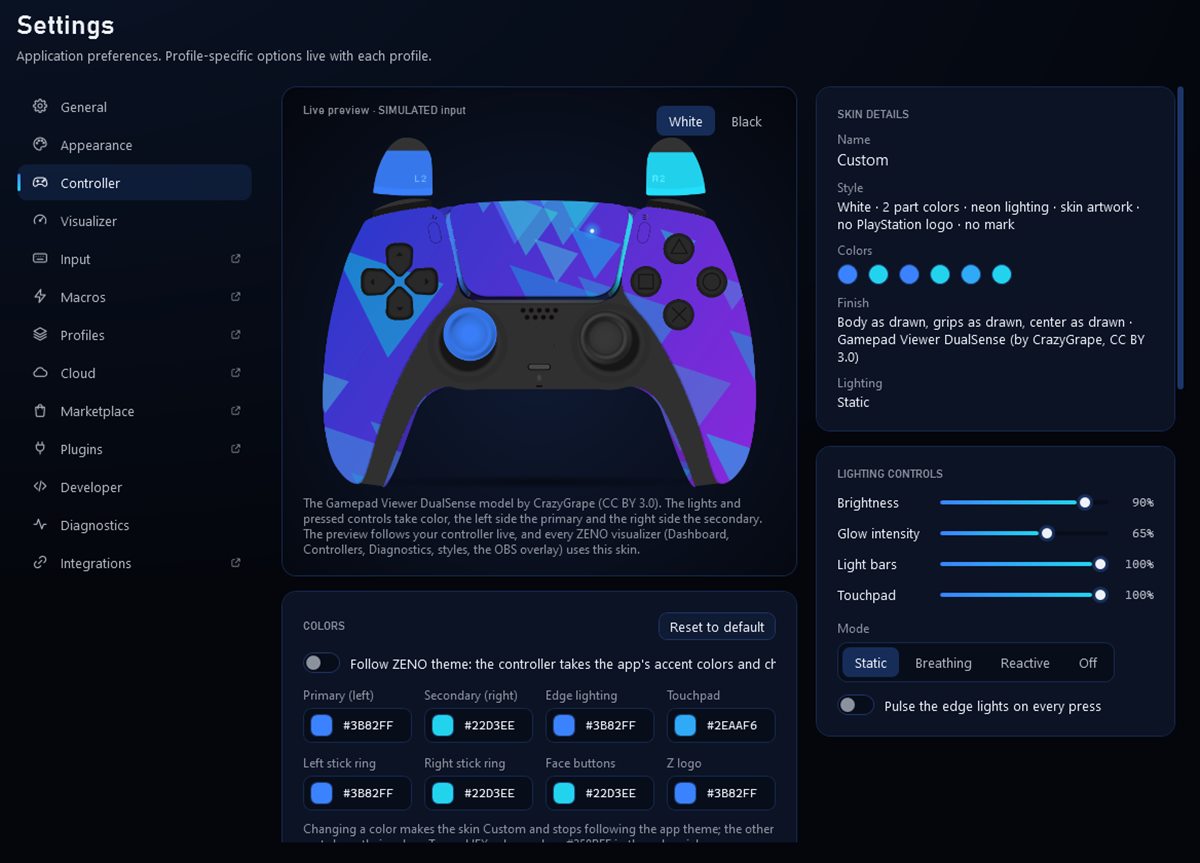
Skins: part colors, lighting and artwork.
Backup and sync
Everything is saved on your PC with automatic restore points. With an account, you can also sync profiles across PCs and share them with a code.
- Automatic restore points and full backups
- Optional cloud sync across your PCs
- Share a profile with a short code
- Automatic restore points and full backups
- Optional cloud sync across your PCs
- Share a profile with a short code
Try it on your controller.
Screenshots on this page were captured from ZENO with a simulated controller.